Basic Setup Steps for the S9 Android Body Camera
1.Insert 4G SIM Card
Power off the body camera completely.
Remove the battery cover on the back of the camera.
Inside the compartment, you will see two card slots, as shown in the illustration below:
- Left slot: SIM card
- Right slot: TF (microSD) card
Insert the Nano SIM card into the left slot, with the metal contacts facing downward.
(Optional) Insert the TF card into the right slot for local video storage.
Reinstall the battery cover and power on the device.
✅ When the SIM card is properly recognized, a 4G icon will appear on the top status bar, indicating a successful network connection.
2. Device ID Setup and Modify CMSV IP
Before shipment, each body camera is labeled with a unique serial number on the device body.
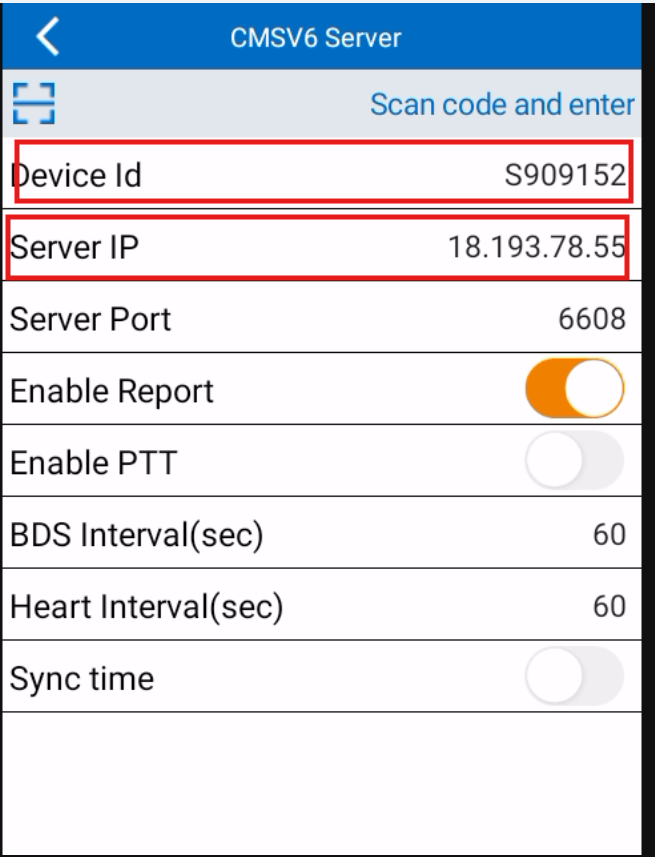
Users must manually set this serial number as the Device ID in the camera settings.Setup Steps:
- Power on the body camera
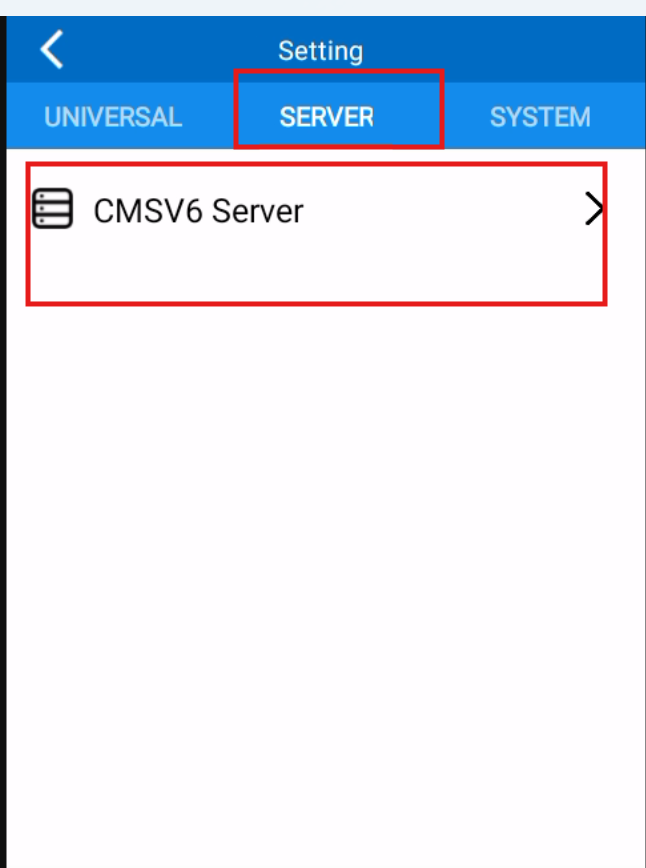
- Go to Setting ➡ SERVER ➡ CMSV Server ➡ Revise Device ID.
- Enter the serial number shown on the device label as the Device ID (only uppercase letters and numbers are allowed, e.g.,
S90****).- Confirm and save the settings.
As shown in the figure below, you can modify the Device ID in the camera settings.⚠️ The Device ID must be unique for each camera. It is required by the CMSV platform for device identification, live view, and data management.
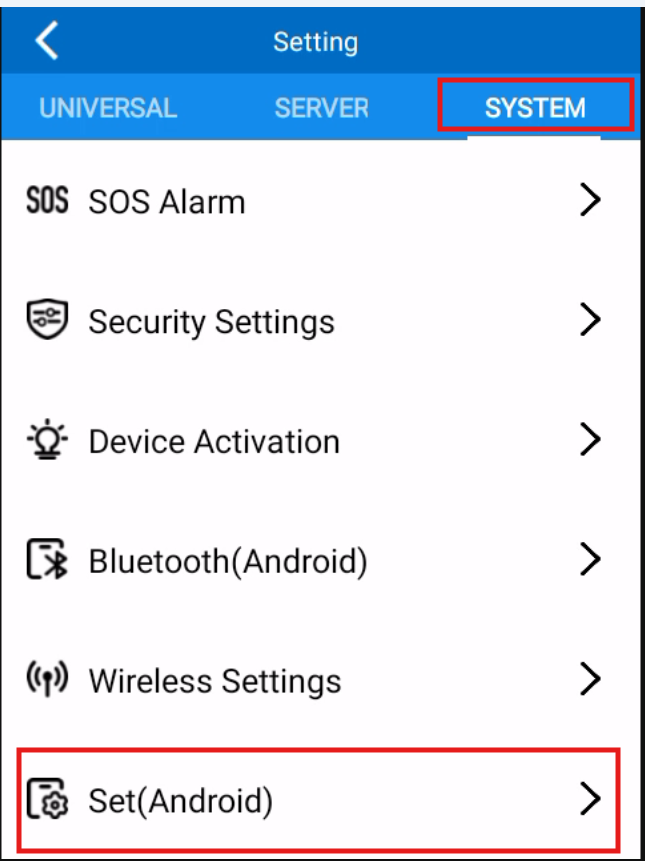
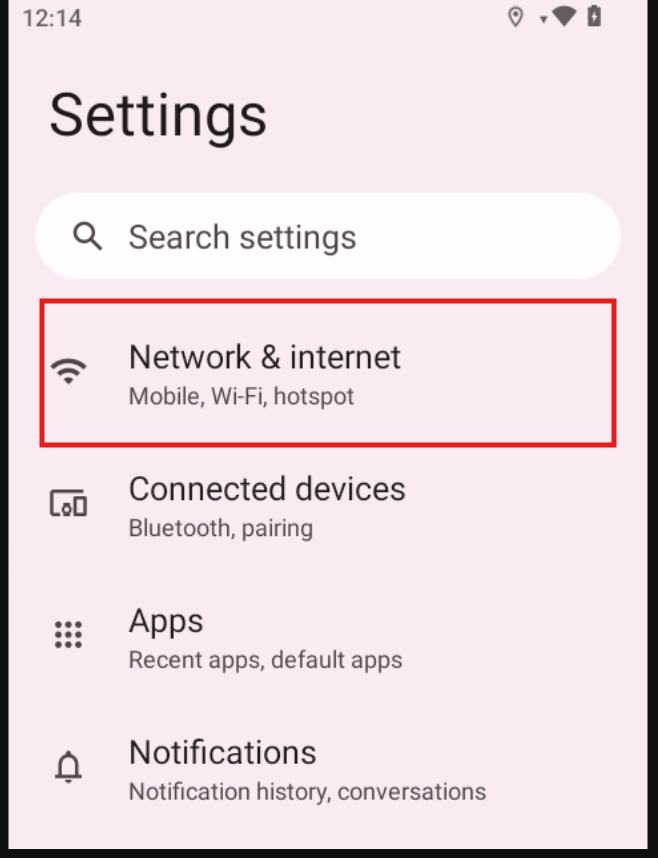
3.Wi-Fi SetupGo to camera's Setting ➡System ➡Set(Andriod) ➡WIFI
In the way as shown in the following figure