How to Change the Default Language of Cam Manager?
1.Get the Software
First, obtain the Cam Manager software (it comes as a compressed archive).
2. Extract the Package
Extract the compressed package to a local folder.
3. Modify the Default Language
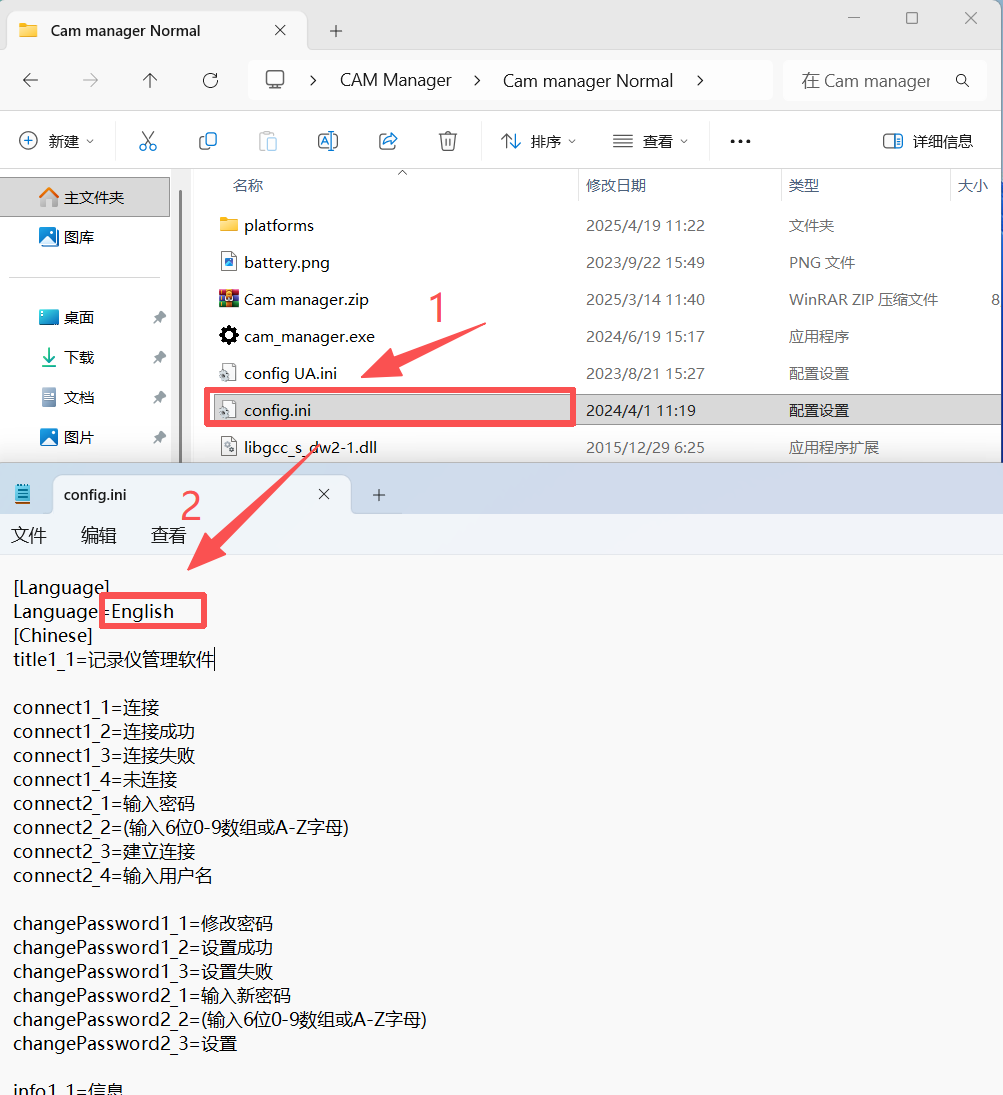
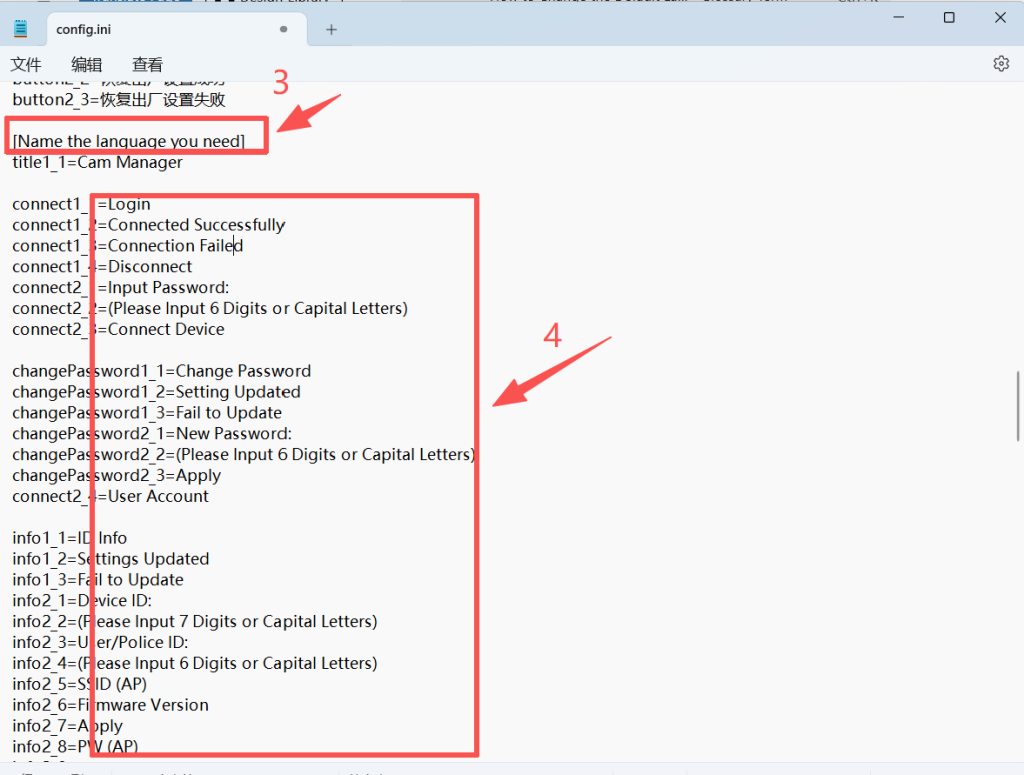
4. Add a New Language
- Scroll to the bottom of the document and copy the English template.
- In the copied template, translate the text after the equal sign into your target language.
5.Save and Test
Save the config.ini file and restart Cam Manager to see the changes applied.