How to Configure Multi-Screen Preview
The multi-screen preview feature allows users to view real-time video streams from multiple devices simultaneously in the CMSV client. It is especially useful in command and dispatch centers or monitoring platforms.
Steps to Configure Multi-Screen Real-Time Preview:
1. Log in to the CMSV Client
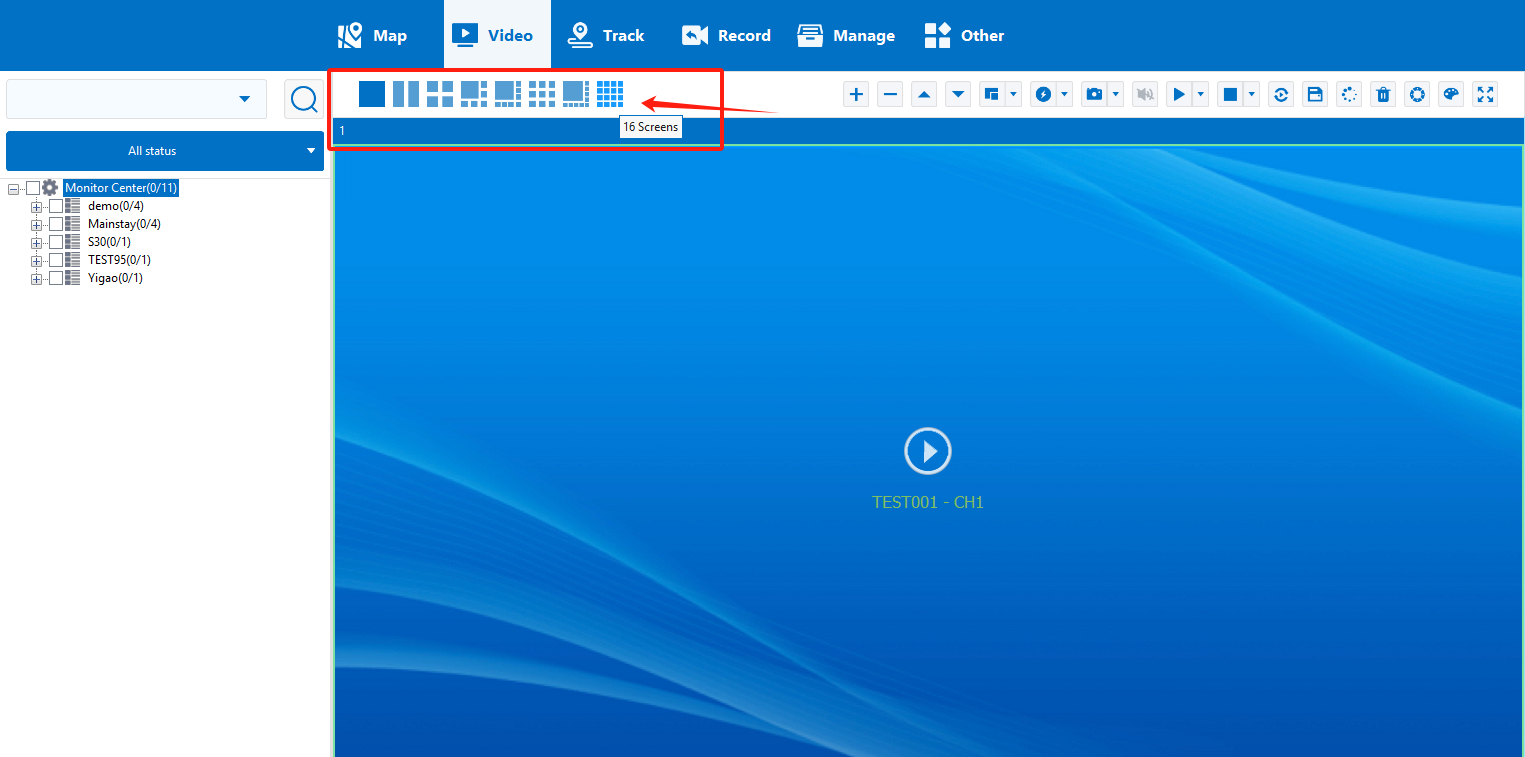
2. Select the Screen Layout
- In the preview interface, locate the screen layout icon at the top or in the sidebar. Common layout options include:
- Single screen (1 view)
- Four screens (2×2)
- Nine screens (3×3)
- Sixteen screens (4×4)
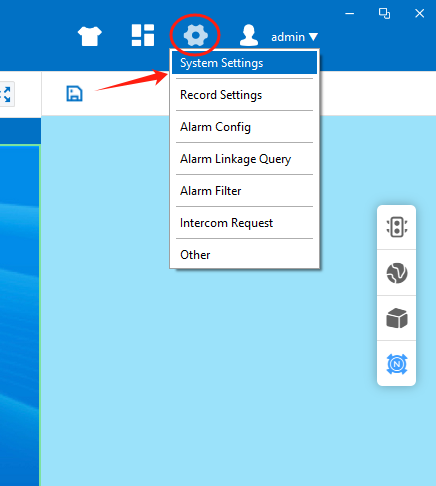
3. Configure Multi-Window Preview in System Settings (for higher screen counts)
- Go to System Settings > Video Parameters.
- Find the option “Maximum Number of Screens” and select the number of windows you want.
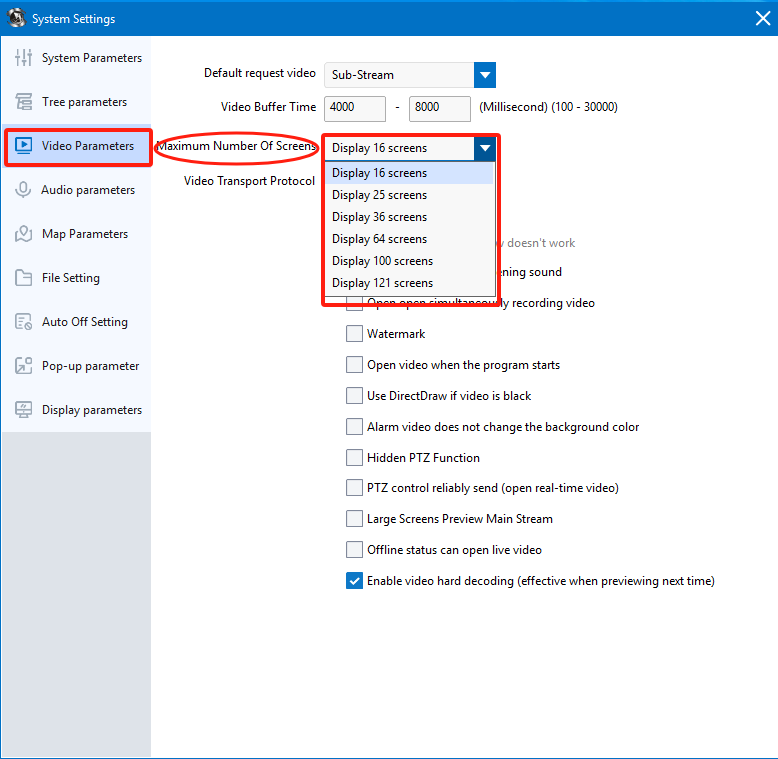
This allows for a more extensive real-time surveillance setup across multiple devices.
Notes
- The number of streams you can preview simultaneously may depend on your PC performance and network bandwidth.
- Offline devices cannot be added to the preview window.
- Make sure the devices are connected and online for smooth playback.