Regular User Account
Overview
In the CMSV client, regular user accounts are created by the Admin (System Administrator) or the Company Main Account for daily management and operation of designated body cameras. The permissions for regular users can be flexibly configured through role management.
Steps
Step 1: Log in with a Management Account
- Use the Admin (System Administrator) or Company Main Account to log in to the CMSV client.
- Navigate to “Manage → Police → User → Add” to enter the user creation page.
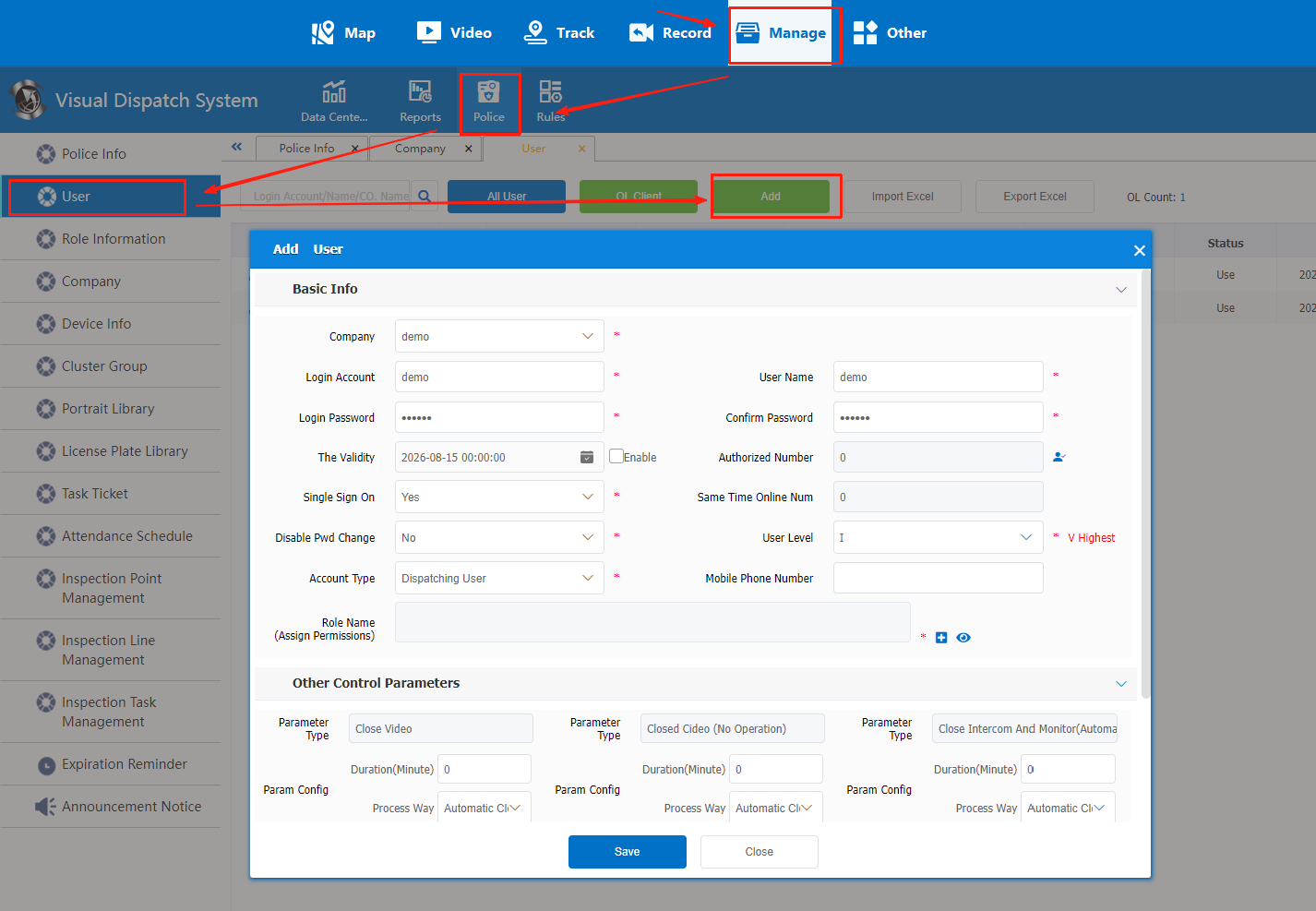
Step 2: Fill in User Information and Assign Permissions
- Complete all required fields marked with an asterisk (*) such as username, password, and contact information.
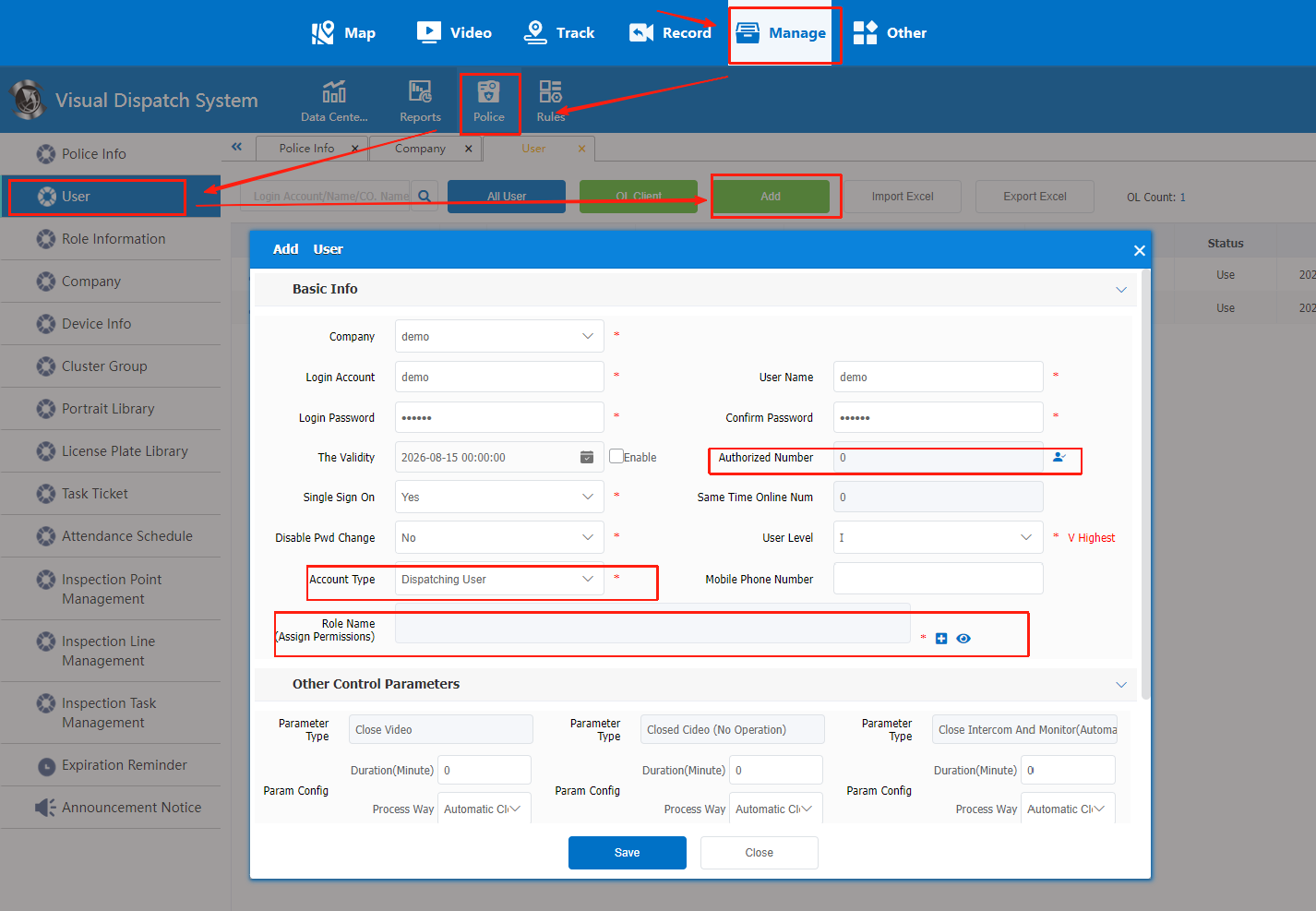
- In “Authorized Number”, click the “User” button to assign the body camera device IDs the user can operate.
- In “Account Type”, select “Regular User”.
- In “Role Name”, click the “+” icon to select or create a role and assign the required permissions.
- Save all settings.
Notes
The functional permissions of regular users are determined by role management and can be adjusted according to operational needs.
If you want to grant a regular user the permission to add/delete body cameras, the Admin must first enable this function for the Company Main Account, and then the Company Main Account can grant it.