How to enable camera remote recording via CMSV?
The CMSV client allows users to remotely start or stop recording on online body cameras through the platform. This function is useful for command dispatch, emergency response, and other remote management scenarios.
I. Prerequisites
- Device Must Be Online:
The body camera must be powered on and successfully connected to the CMSV server.
II. Operation Steps
Step 1: Log in to the CMSV Client
Log in using an account with remote control permissions.
Step 2: Navigate to “Video” Module
- Locate the device that needs to be controlled.
- Ensure the device status is “Online.”
- Right-click the device icon to open the control interface.
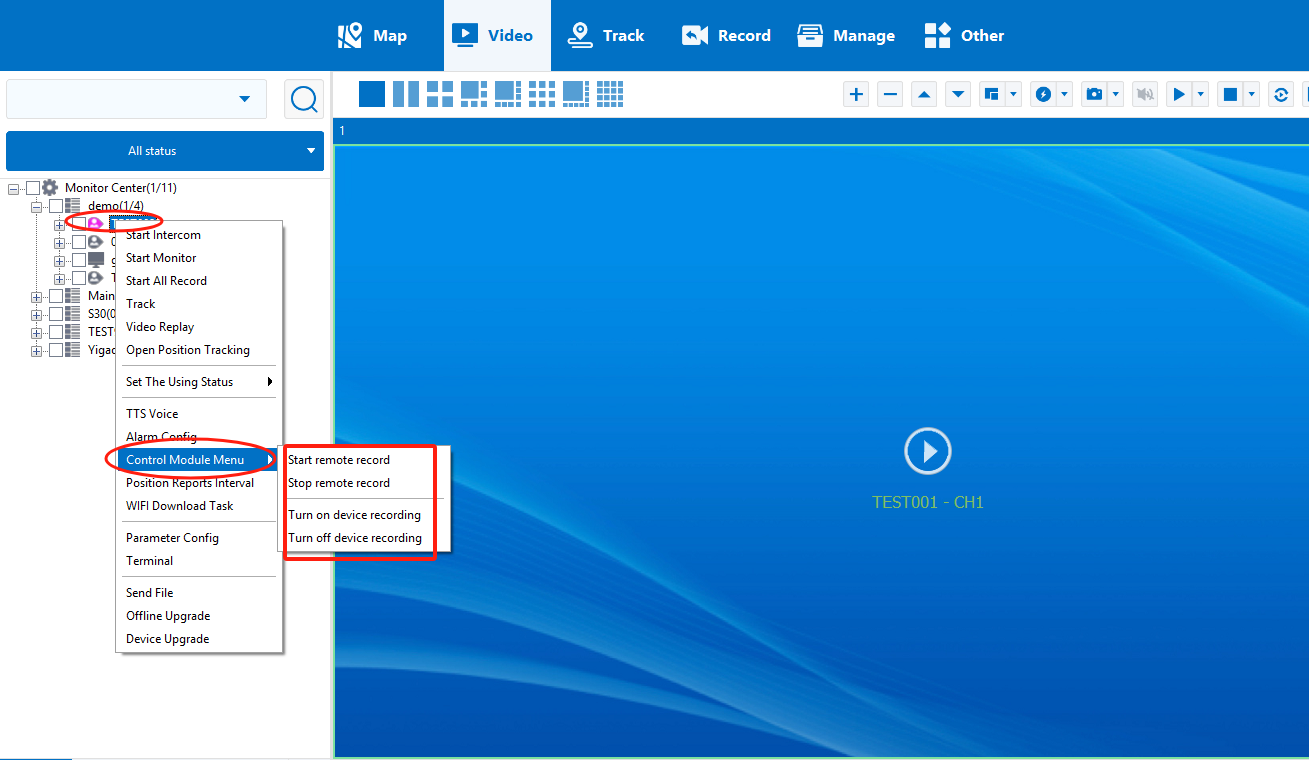
Step 3: Click the “Remote Record” Button
In the device control panel or context menu, click:
- Start Remote Record
- or Stop Remote Record
After entering the CMSV login password, the system will issue the remote recording command to the selected device.