How to Export Video Files or Clips?
In the DEMS system, you can easily export a specific video clip by following these steps:
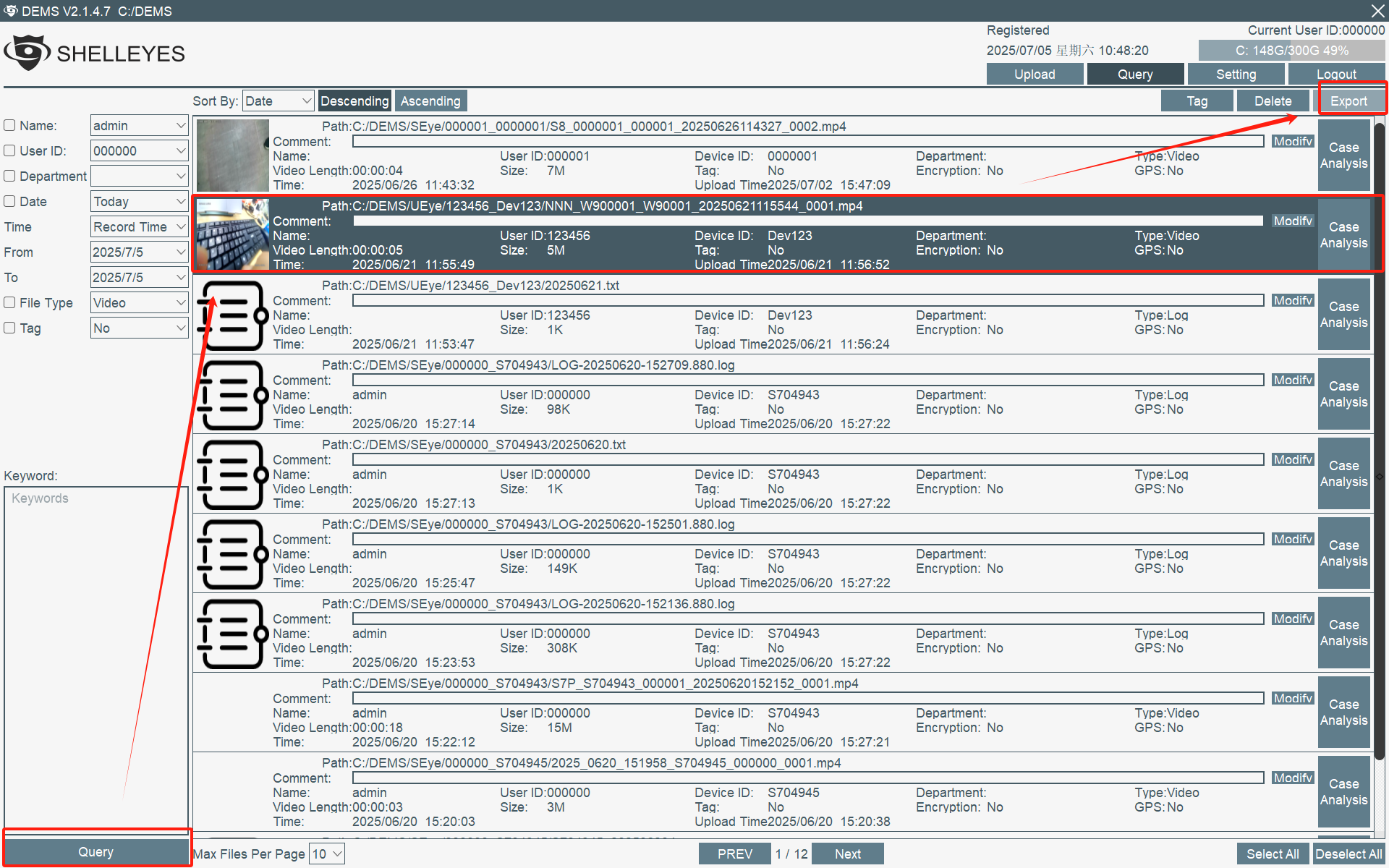
1. Go to the "Query" Page
In the DEMS interface, open the Query module and locate the video record you want to export.
2. Choose the Export Method
Depending on your needs, click on one of the following options:
Select a Time Range to Export a Clip: Manually set the start and end times to export only the desired segment.