What should I do if the device cannot connect or be recognized?
Try using a different USB cable or USB port, and plug/unplug the device slowly.
Close any interfering software, such as antivirus programs or system protectors.
Open Device Manager on your computer and check if the device is recognized as a USB device (e.g., NOVATEKN).If the disk name does not appear, the USB connection may be faulty.
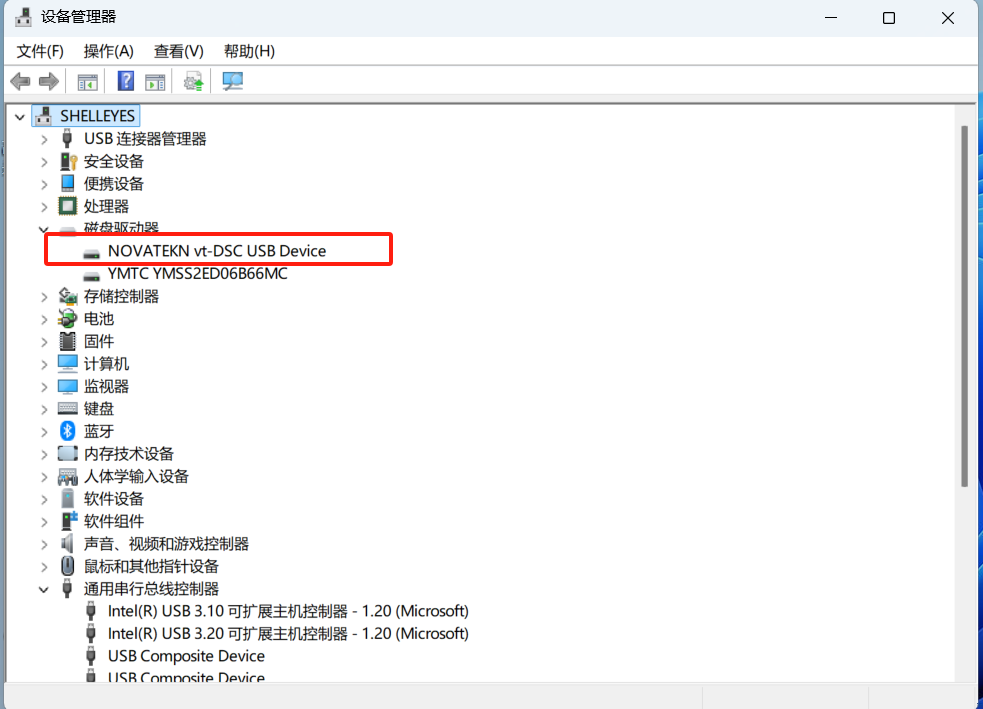
Try connecting the device to a different computer for testing.
If the issue still cannot be resolved, please contact Shelleyes for further assistance.